
زرار: تحكّم في مشتركك الذكي
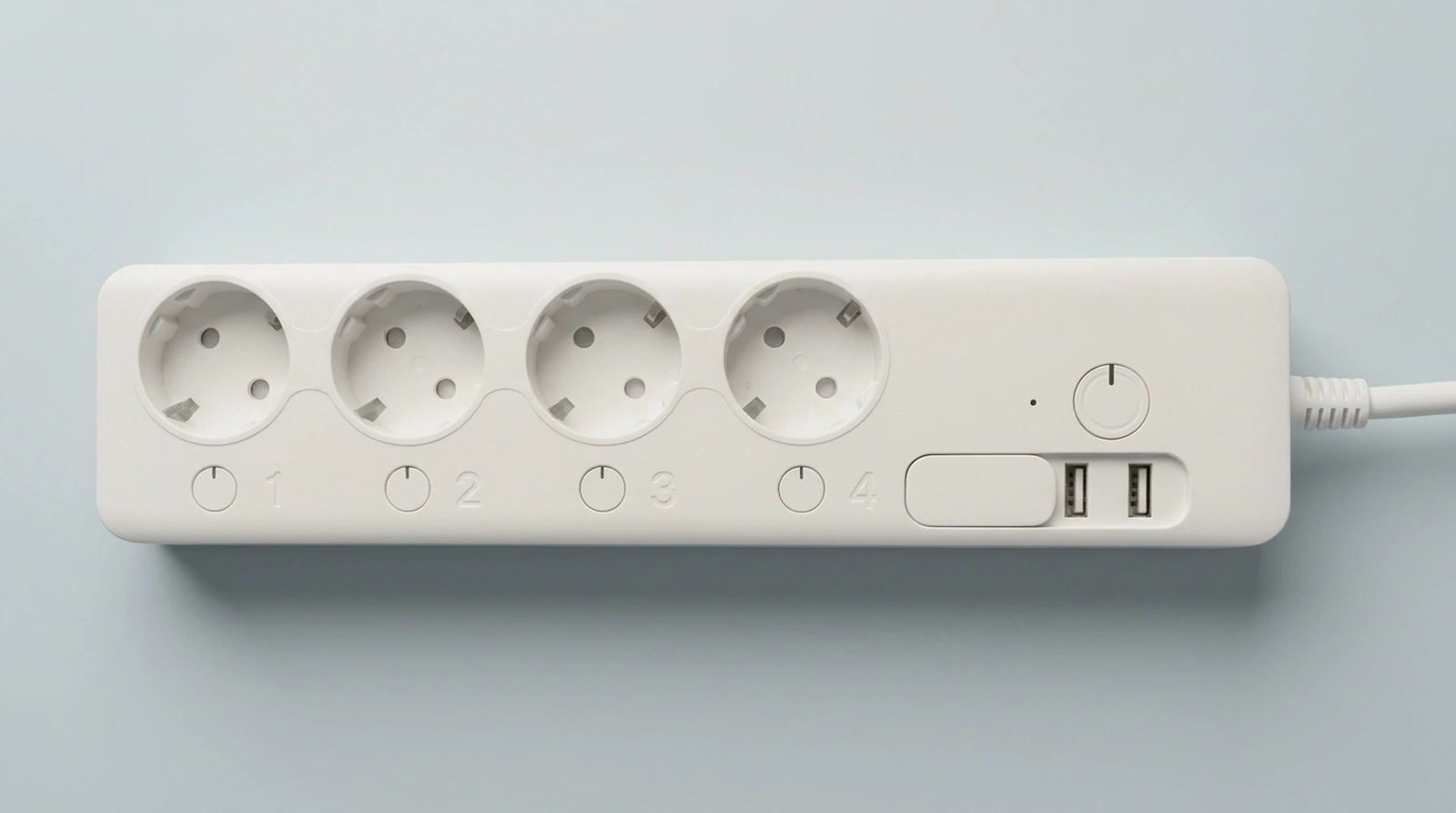
شغّل كل مخرج كهرباء في مشترك MTTL-W01 («المشترك الكوري») أو أوقفه من أي مكان، بينما يظل منفذا شحن USB يعملان دائمًا.
المشترك
ما يمكنك فعله
مفتاح لكل مخرج
شغّل أي مخرج أو أوقفه بلمسة، من البيت أو من خارجه.
جداول ومؤقتات
شغّل أو أوقف أي مخرج في وقت تحدده.
مشاركة مع العائلة
ادعُ أفراد أسرتك للتحكم في المشترك.
تنبيهات
إشعار عند انقطاع المشترك أو تجاوز الحد.
حدود القدرة
يطفئ المخرج نفسه إذا تجاوز الحد الذي تحدده.
قراءات القدرة والطاقة
اطّلع على القراءات كما يرسلها المشترك. وحداتها غير متحقق منها، فاعتبرها تقريبية.
أسماء تختارها
سمِّ المشترك وكل مخرج لتعرف الأجهزة المتصلة به.
مساعدو الذكاء الاصطناعي
تحكّم في مشتركك من Claude أو ChatGPT.
كيف يعمل الإعداد
- سجّل الدخول بالبريد الإلكتروني وكلمة المرور، أو Google، أو Apple.
- وصّل هاتفك بشبكة Wi-Fi الخاصة بإعداد المشترك.
- أدخل بيانات شبكة Wi-Fi المنزلية؛ يرسلها الهاتف مباشرةً إلى المشترك.
يدعم المشترك شبكات Wi-Fi بتردد 2.4 GHz فقط.
للمساعدة، راسل [email protected].
Zorar: control your smart power strip
Turn each AC outlet on your MTTL-W01 (the “Korean power strip”) on or off from anywhere, while its two USB charging ports stay always on.
The strip
What you can do
A switch for each outlet
Turn any outlet on or off in one tap, at home or away.
Schedules and timers
Switch an outlet on or off at a time you set.
Family sharing
Invite family members to control the strip.
Alerts
Get notified when a strip goes offline or an outlet passes its limit.
Power limits
An outlet turns itself off when it goes over the limit you set.
Power and energy readings
View readings as reported by the strip. Their units are unverified, so treat them as approximate.
Names you choose
Name the strip and each outlet to identify connected devices.
AI assistants
Control your strip from Claude or ChatGPT.
How setup works
- Sign in with email and password, Google, or Apple.
- Connect your phone to the strip’s setup Wi-Fi.
- Enter your home Wi-Fi details; your phone sends them directly to the strip.
The strip supports 2.4 GHz Wi-Fi only.
For help, email [email protected].